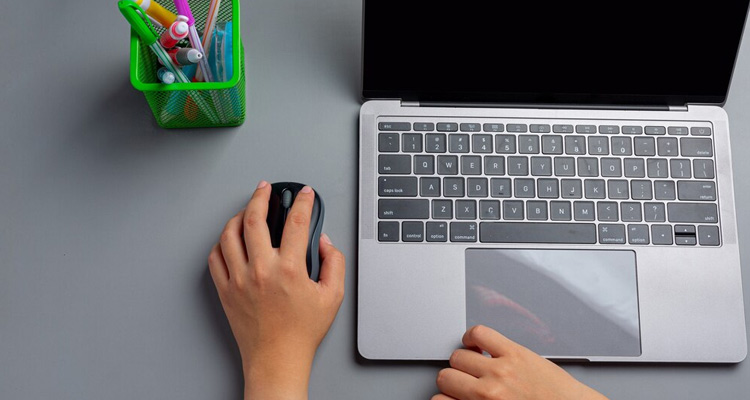

MacBook Keyboard Keys Not Working? Here's How to Fix It (Step-by-Step Guide)
Your MacBook is your work buddy, creative partner, and sometimes even your escape. But what happens when some of your MacBook keyboard keys stop working out of nowhere? Frustrating, right? 😤Before you start thinking about expensive repairs or tossing it aside, hold on! This blog walks you through why this issue happens, how to fix it at home, and when to get professional help. Let’s get typing (again)!
🔍 Why Are Some MacBook Keyboard Keys Not Working?
There could be a mix of reasons why your MacBook keys are unresponsive. Here's a quick breakdown:
1. Dirt or Debris Under the Keys
Even a small crumb or speck of dust can block the butterfly or scissor mechanism from registering key presses.
2. Software Glitch
macOS updates or background processes can sometimes mess with input functions, causing keyboard issues.
3. Faulty Key Mapping
Keyboard settings or third-party apps may change how your keys behave (especially function keys).
4. Hardware Malfunction
Water damage, a worn-out keyboard module, or physical wear can cause certain keys to stop working.
5. Keyboard Connector Issue
Loose or damaged internal connectors can disrupt communication between your keyboard and motherboard.
🧪 Quick Checks Before You Panic
Before jumping into fixes, do a quick sanity check:
✅ Is the issue happening only in a specific app?
✅ Are all keys not working or just a few?
✅ Have you spilled liquid recently?
✅ Are external keyboards working fine?
Knowing these answers will help pinpoint the root cause.
🛠️ How to Fix MacBook Keyboard Keys Not Working
✅ 1. Reboot Your Mac
Yes, the oldest trick in the book. A quick restart can clear software hiccups and bring your keyboard back to life.
✅ 2. Clean Your Keyboard (Safely)
Use compressed air to clean your keyboard at an angle. Apple recommends holding the MacBook at 75 degrees and spraying in a zig-zag pattern.
⚠️ Avoid liquid cleaners or poking objects under keys.
✅ 3. Check Keyboard Settings
-
Go to System Settings > Keyboard
-
Check Input Sources to ensure the correct keyboard layout
-
Disable features like “Slow Keys” or “Mouse Keys” that can interfere with normal input
✅ 4. Update macOS
Outdated macOS versions can cause bugs in keyboard functionality.
-
Click > System Settings > General > Software Update
-
Download and install the latest update
✅ 5. Reset the SMC (System Management Controller)
For Intel-based Macs:
-
Shut down your Mac
-
Press and hold
Shift + Control + Optionand the power button for 10 seconds -
Release and restart
This resets hardware-level functions including keyboard responsiveness.
✅ 6. Use an External Keyboard Temporarily
If you're in the middle of something urgent, plug in a USB or Bluetooth keyboard as a temporary solution.
💡 Bonus Tip: Use On-Screen Keyboard
In case you're locked out, enable the on-screen keyboard from: System Settings > Accessibility > Keyboard > Enable Accessibility Keyboard
🛑 When to Seek Professional Repair
If none of the above steps work, it’s time to visit an Apple-authorized service center or a trusted MacBook keyboard repair expert. Especially if:
-
You suspect water damage
-
Multiple keys are dead
-
You hear no click or feel resistance under keys
💸 Pro Tip: If your MacBook is covered under the Apple Keyboard Service Program, you might be eligible for a free keyboard replacement.
📌 Commonly Affected MacBook Models
The following models are known to have frequent keyboard complaints:
-
MacBook Pro (2016–2019 models)
-
MacBook Air (2018–2019)
-
MacBook Retina (2015–2017)
Apple has acknowledged these and offers extended warranty service in many cases.
🚀 Final Thoughts
A MacBook with keyboard keys not working can disrupt your flow, but don’t stress — most cases are either software-related or easy hardware fixes.
Try cleaning, rebooting, updating, and checking settings first. And if needed, get help from certified technicians who specialize in Mac repairs.
Your keyboard will be clacking away smoothly in no time. 🎉
🔍 SEO Keywords Used:
-
MacBook keyboard keys not working
-
Fix MacBook keyboard keys
-
MacBook keyboard issue solution
-
MacBook Pro keyboard not working
-
Apple keyboard repair
💬 Need Help Fast?
Let us know in the comments or contact our Apple repair experts for same-day service and diagnostics. 👨💻⌨️
Leave A Comment